


By using this site, you agree to the Privacy Policy and Terms of Use.
Accept
Sparktopus Blog
Sunday, Sep 13, 2026
  • What's Hot:
  • AI
  • Business Growth
  • Website Development
  • Home
  • Latest
  • Technology
    • AI Automation
    • AI
    • App Development
    • Cloud Services
    • Cybersecurity
    • Search Engine Optimization
    • Domains
      • Configuration and management
    • Hosting
      • VPS
        • Pre-installed applications
    • Tech News
  • Business
    • Marketing
    • Sales
    • Monetization
    • Personal brand
    • Communication
    • Digital Marketing
    • Productivity
  • Website
    • Website Design
    • Website Development
  • Creative & Media
    • Graphic Design
    • Video Ads
    • Prompt
  • Learning
    • Free Courses
  • Make money online
Reading: How to Make Cinematic AI Videos Without Editing Skills
Advertise
Latest
Top 10 3D Software for Beginners in 2026
Adobe Photoshop 2026 Download Guide
CINEMA 4D Studio 2026 Download Guide
CorelDRAW Graphics Suite 2026 Download Guide
10 Best 3D Animation & VFX Software in 2026
Font ResizerAa
Sparktopus BlogSparktopus Blog
  • Home
  • Latest
  • Tech News
  • Technology
  • Business
  • Marketing
  • Sales
  • Monetization
  • AI Automation
  • Website Development
  • App Development
  • Digital Marketing
  • Search Engine Optimization
  • Graphic Design
  • Video Ads
  • Cybersecurity
  • Cloud Services
Search
  • Home
  • Latest
  • Advertise with us
  • About Us
  • Contact
  • Newsletter
  • Sitemap
  • Terms of Service
  • Privacy Policy

Trending →

5 Powerful Ways to Protect Your Business from Hackers

By MrSparktopus
1 year ago

5 Costly App Mistakes Every Business Must Avoid

By MrSparktopus
1 year ago

10 Proven Design Tips to Boost Your Business Success

By MrSparktopus
1 year ago

5 Powerful Cloud Services Every Business Must Use

By MrSparktopus
1 year ago

10 Smart Digital Marketing Tips to Boost Business Growth

By MrSparktopus
1 year ago
Follow US
© 2026 Sparktopus Blog. All Rights Reserved.

- Advertisement -

Home » Latest » How to Make Cinematic AI Videos Without Editing Skills
AI

How to Make Cinematic AI Videos Without Editing Skills

Emmanuel Masebinu - Sparktopus CEO
Last updated: June 7, 2026 9:35 am
By MrSparktopus
Share
6 Min Read
How to Make Cinematic AI Videos Without Editing Skills
SHARE
Contents
  • Why Editing Skills Are No Longer a Barrier
  • Focus on the Vision, Not the Software
  • Use Cinematic Descriptions
  • Include Camera Movements
  • Add Professional Lighting
  • Create Atmosphere
  • Break Videos Into Multiple Scenes
    • Scene One
    • Scene Two
    • Scene Three
    • Scene Four
    • Scene Five
  • Use Proven Prompt Structures
  • Choose the Right AI Video Tool
  • Why Prompt Skills Matter More Than Editing Skills
  • Final Thoughts

Creating cinematic videos once required expensive cameras, professional editing software, and years of experience. Today, AI video generators are changing everything.

Tools like Seedance, Gemini Omni, and other advanced AI platforms can generate impressive videos from simple text prompts. This means creators, entrepreneurs, marketers, and business owners can produce professional-looking content without learning complex editing techniques.

The secret is not editing.

The secret is prompting.

If you know how to communicate your vision effectively, AI can handle much of the creative work for you.

Why Editing Skills Are No Longer a Barrier

Traditional video production involves multiple steps:

  • Filming
  • Lighting setup
  • Color grading
  • Scene transitions
  • Motion effects
  • Post-production editing

These tasks often require specialized software and technical expertise.

AI video generation removes much of this complexity by allowing users to describe what they want instead of manually creating it.

A well-written prompt can generate scenes that would normally take hours or even days to produce.

Focus on the Vision, Not the Software

Many beginners assume they need to master editing software before creating quality videos.

In reality, modern AI video tools are shifting the focus toward creative direction.

Instead of asking:

“How do I edit this?”

You ask:

“What scene do I want to create?”

The better you describe the scene, the better the AI can generate it.

Use Cinematic Descriptions

One of the fastest ways to improve AI-generated videos is to think like a filmmaker.

Rather than writing:

“A man standing on a beach.”

Try:

“A man standing on a quiet beach during sunset, golden-hour lighting, cinematic wide-angle shot, gentle ocean waves, dramatic clouds, professional film quality.”

This provides the AI with clear visual direction.

Include Camera Movements

Camera movement is one of the biggest differences between amateur and cinematic footage.

Useful prompt elements include:

  • Drone shot
  • Tracking shot
  • Slow zoom
  • Cinematic pan
  • Close-up shot
  • Wide-angle shot

These instructions help AI generate videos that feel more professional and engaging.

Add Professional Lighting

Lighting creates mood and visual depth.

Many beginners forget to include lighting instructions in their prompts.

Examples include:

  • Golden-hour lighting
  • Dramatic lighting
  • Soft natural light
  • Studio lighting
  • Neon lighting
  • Volumetric lighting

Lighting alone can significantly improve the cinematic quality of an AI-generated scene.

Create Atmosphere

Professional films focus heavily on atmosphere.

Atmosphere makes scenes memorable and emotionally engaging.

For example:

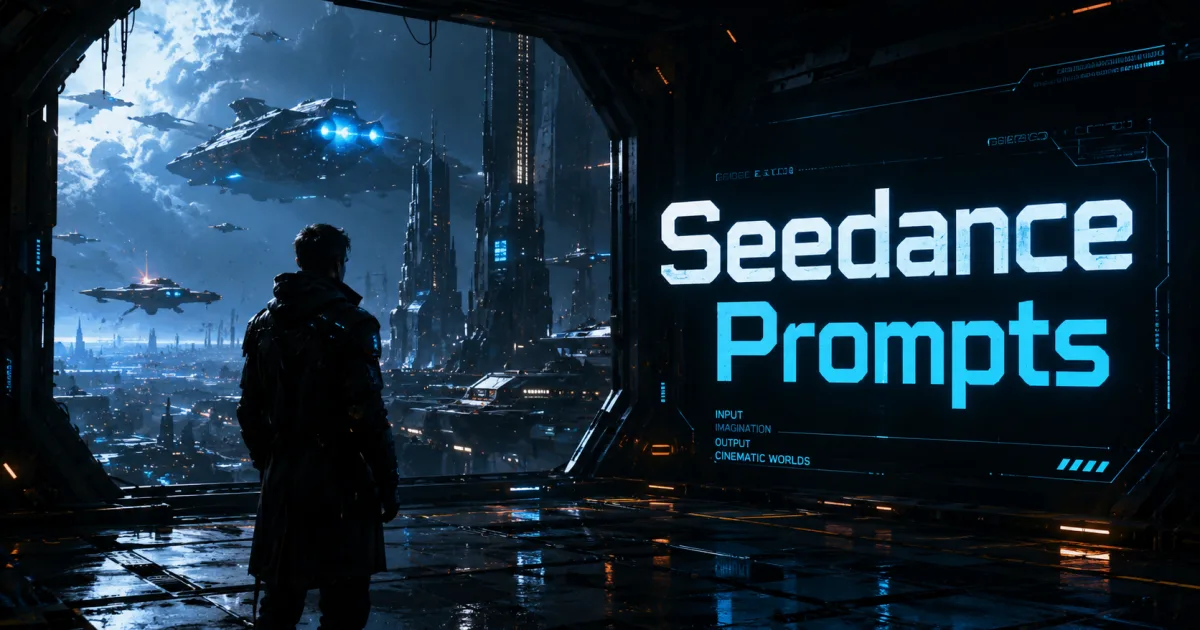
“A futuristic city street at night, neon lights reflecting on wet pavement, atmospheric fog, cinematic lighting, realistic reflections, science fiction movie quality.”

These details create a much richer visual experience than a simple subject description.

Break Videos Into Multiple Scenes

Many creators try to generate an entire story with a single prompt.

A better approach is to create multiple individual scenes.

For example:

Scene One

Introduce the environment.

Scene Two

Introduce the character.

Scene Three

Show the action.

Scene Four

Deliver the emotional moment.

Scene Five

Create a memorable ending.

This technique often produces more polished and professional results.

Use Proven Prompt Structures

Many successful AI creators follow a simple formula:

Subject + Environment + Lighting + Camera Movement + Mood + Visual Style

Example:

“A luxury yacht sailing through crystal-clear waters at sunset, golden-hour lighting, cinematic drone shot, peaceful atmosphere, premium commercial quality, ultra-realistic visuals.”

This structure helps AI understand exactly what you want.

Choose the Right AI Video Tool

Modern platforms such as Seedance and Gemini Omni continue to improve their ability to generate cinematic content.

However, even the most advanced AI system depends on prompt quality.

A strong prompt on a good platform will almost always outperform a weak prompt on the same platform.

The tool matters.

The prompt matters even more.

Why Prompt Skills Matter More Than Editing Skills

The future of video creation is moving toward direction rather than technical production.

Instead of spending years learning editing software, creators can focus on storytelling, visual concepts, and prompt engineering.

Those who master prompting can produce high-quality content faster and more efficiently than ever before.

As AI technology evolves, prompt design is becoming one of the most valuable creative skills available.

Final Thoughts

You no longer need professional editing skills to create cinematic videos.

With tools like Seedance, Gemini Omni, and other AI video generators, high-quality video production is becoming accessible to everyone.

The key is learning how to describe scenes effectively through detailed prompts that include atmosphere, lighting, camera movement, and visual style.

The best AI videos are not created by editing expertise alone. They are created by clear creative direction.

👉 Want 100+ Ready-to-Use Cinematic AI Video Prompts?

Stop guessing and start creating.

Download “AI Video Prompts Handbook“ and gain access to over 100 proven prompts designed to help you create stunning cinematic AI videos in minutes.

Get your copy today and unlock the full power of AI video creation.

Emmanuel Masebinu - Sparktopus CEO
MrSparktopus

CEO & Founder of Sparktopus, Inc.

- Advertisement -

Share This Article
Facebook Copy Link
Previous Article Why Your AI Videos Look Bad (And How to Fix Them) Why Your AI Videos Look Bad (And How to Fix Them)
Next Article Seedance Prompt Guide Create Viral AI Videos Fast Seedance Prompt Guide: Create Viral AI Videos Fast

Latest Posts

Top 10 3D Software for Beginners in 2026
1 month ago
Adobe Photoshop 2026 Download Guide
1 month ago
CINEMA 4D Studio 2026 Download Guide
1 month ago
CorelDRAW Graphics Suite 2026 free trial
CorelDRAW Graphics Suite 2026 Download Guide
1 month ago
10 Best 3D Animation & VFX Software in 2026
1 month ago
9 Best AI Ecommerce Builders to Boost Sales
1 month ago
12 Best AI App Builders You Should Try in 2026
1 month ago
12 Best AI Logo Generators for Fast Branding
1 month ago
9 Best AI Video Editing Tools That Save Time
1 month ago
7 AI Image Generators That Create Stunning Art
1 month ago

You Might Also Like ↷

5 Claude Prompts That Turn Ideas Into Videos Fast

5 Claude Prompts That Turn Ideas Into Videos Fast

AI Prompt
5 months ago
12 AI Software Tools to Use in 2026

12 AI Software Tools to Use in 2026

AI
6 months ago
How To Get Ahead of 99 Percent of People Using AI

How To Get Ahead of 99 Percent of People Using AI

AI
10 months ago
How to Build Income Streams Using Claude AI

How to Build Income Streams Using Claude AI

AI Make money online
4 months ago
- Advertisement -
  • Advertise with us
  • About Us
  • Contact
  • Newsletter
  • Sitemap
  • Corrections Policy
  • Diversity Policy
  • Diversity Staffing Report
  • Editorial Principles
  • Ethics Policy
  • Feedback Policy
  • Ownership & Funding
  • Terms of Service
  • Privacy Policy

Sparktopus Blog is your go-to source for insights on AI, technology, business, cybersecurity, digital marketing, websites, monetization, productivity, and more. Discover practical guides, industry news, expert strategies, and innovative ideas designed to help businesses, creators, and entrepreneurs grow in the digital world.

Sparktopus Blog Logo
  • AI Automation
  • App Development
  • Cloud Services
  • Cybersecurity
  • Digital Marketing
  • Free Courses
  • Graphic Design
  • Monetization
  • Search Engine Optimization
  • Video Ads
  • Website Development
FacebookLike
XFollow
InstagramFollow
YoutubeSubscribe
TiktokFollow
WhatsAppFollow

© 2026 Sparktopus Blog. All Rights Reserved.

Designed & Developed by Sparktopus.

Welcome Back!

Sign in to your account

Username or Email Address
Password

New: Instant Back/Forward Navigation

When you opt to “Remember Me”, WordPress will tell your browser to save the state of pages when you navigate away from them. This allows them to be restored instantly when you use the back and forward buttons in your browser.

Lost your password?